FIELDWORK, CONNECTED

From the first site visit to the final handover.

Bring your customer details, security and network surveys, proposals and completion records together in one clear workspace.

Use EzyPlanSurvey on your phone or laptop with the same account.
ONE WORKSPACE FOR THE WHOLE JOB

Keep the project clear at every step.

Capture what is on site, prepare the work, and give your team the information they need to carry it through.

01

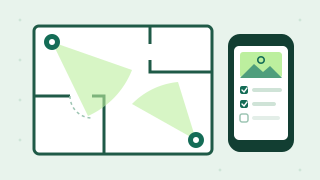
Survey the site

Record customer and site details, device locations, requirements, photos and plans.

Customer, CCTV, doors, data & infrastructure
02

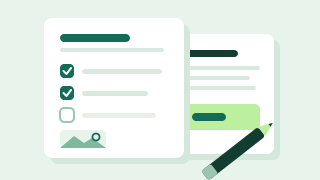
Plan the work

Turn your survey information into a scope of work and a customer proposal.

Scope of work & customer proposal
03

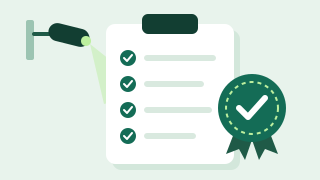
Complete & hand over

Record completed work and prepare an as-built handover for the project.

Completion / As-Built
TOOLS THAT WORK TOGETHER

Everything starts with the site.

Choose the information you need for each project. Keep the rest out of the way.

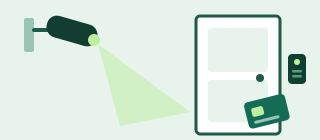
Security & accessCCTV and door surveys for device locations, requirements and site conditions.
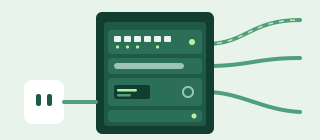
Data & infrastructureCapture network points, racks, recording equipment, power and related details.
Scope & proposalBuild project documents from the details gathered during the survey.
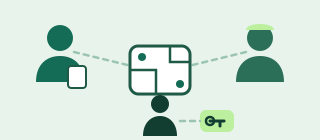
Team accessGive surveyors and installers access to the project work they are assigned.
REPORTS

Turn every site visit into documents you can send.

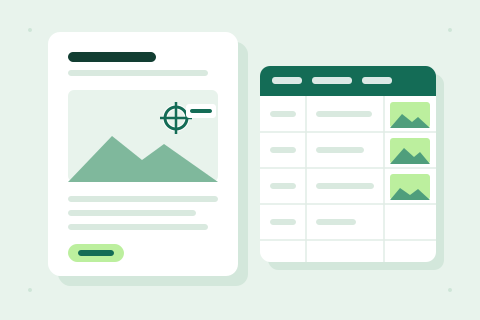
Each report is built from the survey you already entered, with your photos and mounting marks.

  • Installer handover packApproved scope of work, numbered camera photos with mounting marks and installation details. Save as PDF.
  • Customer proposalYour requirements, proposed work, exclusions and location photos, with an optional site sketch.
  • Completion & as-built reportInstalled models, serial numbers, test results and completion photos.
  • Excel exportEvery site and camera in one workbook, with photos inside the cells (recent Excel 365).
S
Site visitSurvey details and photos
✓
I
InstallationScope, plans and project notes
✓
✓
Project handoverCompletion and as-built record
→
FROM FIELD TO OFFICE

Keep the right details with the right people.

Surveyors and installers can work from assigned project information. Your team can use the same saved survey from a phone or laptop.

Explore team access
SECURITY

Your company’s surveys stay private.

Customer details and site photos belong to your company, not to anyone else using EzyPlanSurvey.

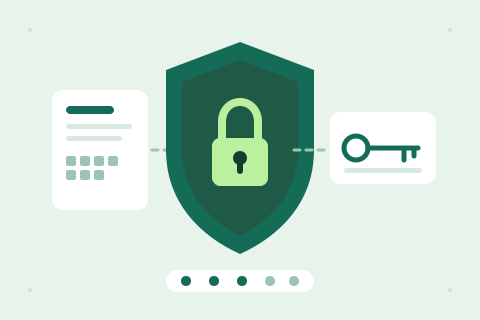
  • Encrypted private workspaceSurveys and photos are encrypted on your device before they are uploaded.
  • Company administrator recovery keyAdministrators use the company recovery key to open encrypted surveys on their device. Team members use their assigned username and password.
  • Separate team loginsEach person gets their own login, limited to their assigned site and sections, with an end date.
  • Offline surveysPrepare a saved survey while online, continue on the same device without internet, then keep the app open to sync when connected. Available after sign-in when enabled for your company.
  • Company brandingAdd your company logo and contact details to project reports.
PLAN & TRIAL

Try it free for 20 days.

Set up your company workspace and survey real sites. No card needed and no automatic charge.

Start here

20-day free trial

Free

  • CCTV, door, data and infrastructure surveys
  • Photos, scope of work and customer proposals
  • Completion and as-built reports
After your trial

Monthly company plan

Price to be confirmed

  • Continue with manual activation
  • No automatic charges
  • For companies in Fiji, Australia and New Zealand
FAQ

Questions before you start

Quick answers about the trial, phones and your data.

How long is the free trial?

20 days. You don’t need a card, and nothing is charged automatically.

What happens when my trial ends?

Your surveys and photos stay saved, and you can still view and export them. Saving new work pauses until your access is activated.

Does it work on my phone?

Yes. Use it in your phone’s browser or on a laptop with the same account. On Android, use Chrome → Add to Home screen. On iPhone, use Safari → Share → Add to Home Screen.

Do I need internet on site?

Yes, to open and save surveys. If reception drops, keep the page open and save when you’re back online.

Can my team use it?

Yes. Add surveyors and installers from Team access. Each person gets their own login, the sections you choose and an end date.

Who needs the company recovery key?

Company administrators use it to decrypt their encrypted workspace on a device. Team members use their assigned login. Keep the key in your company password manager; it cannot be reset.

Which countries is it for?

Companies in Fiji, Australia and New Zealand.

Open a survey

Your company’s surveys, including work saved by your team · reopen to load the latest changes

Install EzyPlanSurvey on your phone

Add EzyPlanSurvey to your phone for quick access to your surveys.

Android · Google Chrome

  1. Open this website in Chrome.
  2. Tap ⋮, then Add to Home screen or Install app.
  3. Open the EzyPlanSurvey icon on your phone.

iPhone · Safari

  1. Open this website in Safari.
  2. Tap Share (the square with an upward arrow).
  3. Choose Add to Home Screen, then tap Add.

Use the same account to open your saved surveys on your phone and laptop. Internet is required to load and save surveys. Wait for the saved confirmation before closing.

This is an installable web app, not an App Store or Play Store download. Sign in with your email or username and password. Company administrators use their company recovery key to decrypt encrypted surveys on the device. Team members sign in with their assigned username and password.